How to Fix 'Manga Not Full Screen' on Kindle (White Margins)
MangaSendr Team
2025-02-03
1 min read
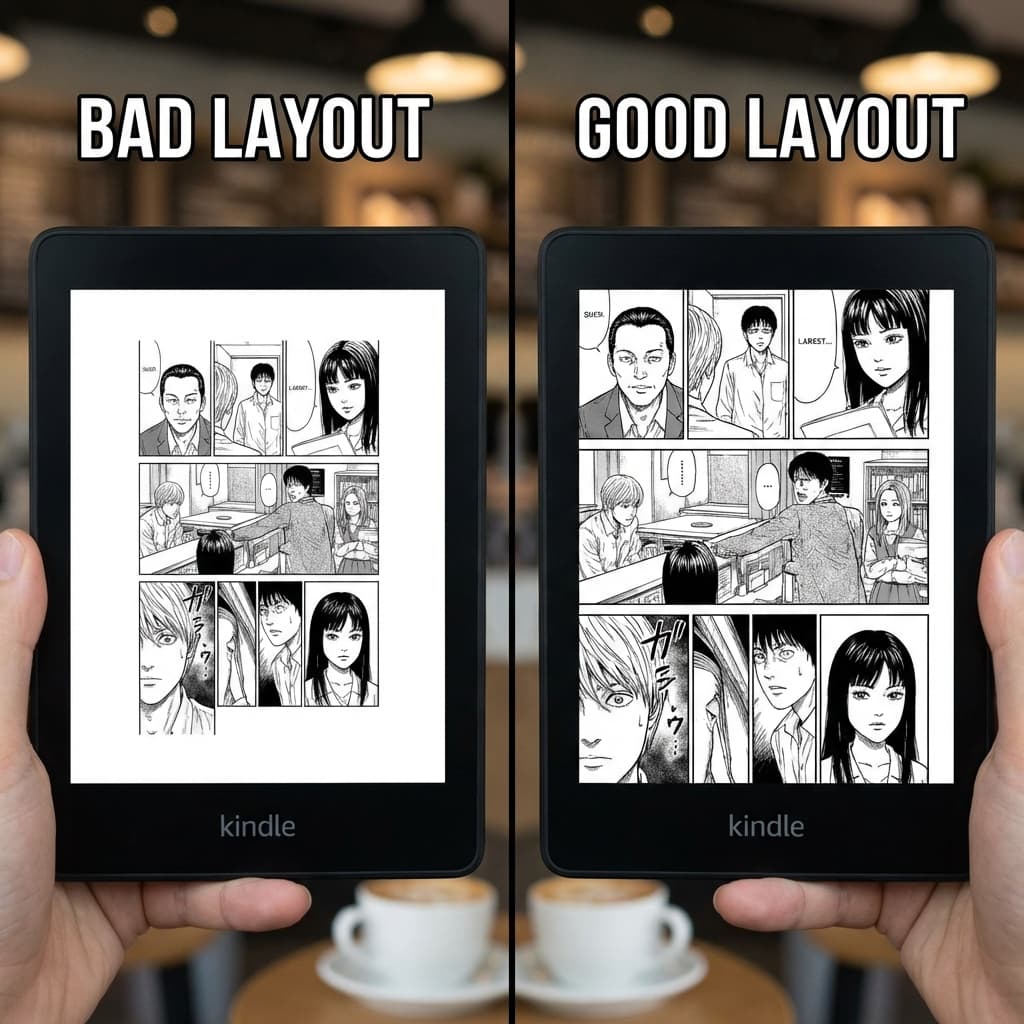
Nothing kills the vibe of a new manga chapter faster than loading it onto your Kindle and seeing huge white borders surrounding a tiny image. It makes text unreadable and ruins the artwork.
Why does this happen? (The Aspect Ratio Problem)
This issue stems from an aspect ratio mismatch. Most manga pages are drawn at a roughly 2:3 ratio. However, Kindle screens vary:
- Kindle Paperwhite: ~3:4 aspect ratio
- Kindle Oasis: Almost square
When you convert a PDF or use a basic tool, it often "letterboxes" the image to force it to fit, adding white padding where it isn't needed.
The Solution: Smart Cropping
To reclaim your screen real estate, images must be processed before they reach your device.
- The Manual Fix (Hard Mode): You can use advanced "crop" settings in tools like KCC (Kindle Comic Converter). This requires trial and error to find the correct sensitivity thresholds for margin detection.
- The MangaSendr Fix (Easy Mode): Our app utilizes a computer vision algorithm to:
- Detect the actual content box of every page.
- Strip away excess whitespace automatically.
- Resize the image to the exact pixel resolution of your specific Kindle model.
The result? Edge-to-edge artwork that utilizes every inch of your 6.8" or 7" display, making text legible without zooming.
Tags:
TroubleshootingTipsKindle
Ready to upgrade your reading experience?
Stop fighting with file formats. MangaSendr handles everything automatically.
Start reading with MangaSendr