The Ultimate
Manga
Dashboard for
Kindle & Kobo.
MangaSendr
The only tool you'll ever need for your
digital library.
See MangaSendr in Action
Watch how easy it is to manage and deliver your manga collection.
Product Demo
Local file delivery
External Source Demo
external content delivery
Monthly Flex
Perfect for testing the waters. Cancel anytime.
- Full Access
- Unlimited Devices
- Cloud delivery for Kindle
- USB Delivery
- Unlimited titles
Yearly Saver
Billed $24.99 yearly
Commit to your reading habit. The smartest way to enjoy MangaSendr.
- Save 37% vs Monthly
- All Pro Features
- Lowest monthly price
- For avid readers
Lifetime Access
The best value for power users. Own MangaSendr forever with all future updates included.
- Best long-term value
- All future updates free
- Single payment
- Priority support
External Source Support
Manage content from URLs
Contrast Enhancer
Auto-tune for E-Ink
Wireless Auto-Delivery
One-click to your library
USB Support
Works with any e-reader
Perfect Metadata
Auto-sync with AniList
Read Tracking
Synced across all devices
Smart Splitting
Bypass file size limits
Color Support
Auto-detect color manga
Smart Crop
Perfectly fit to screen
Manage External Sources.
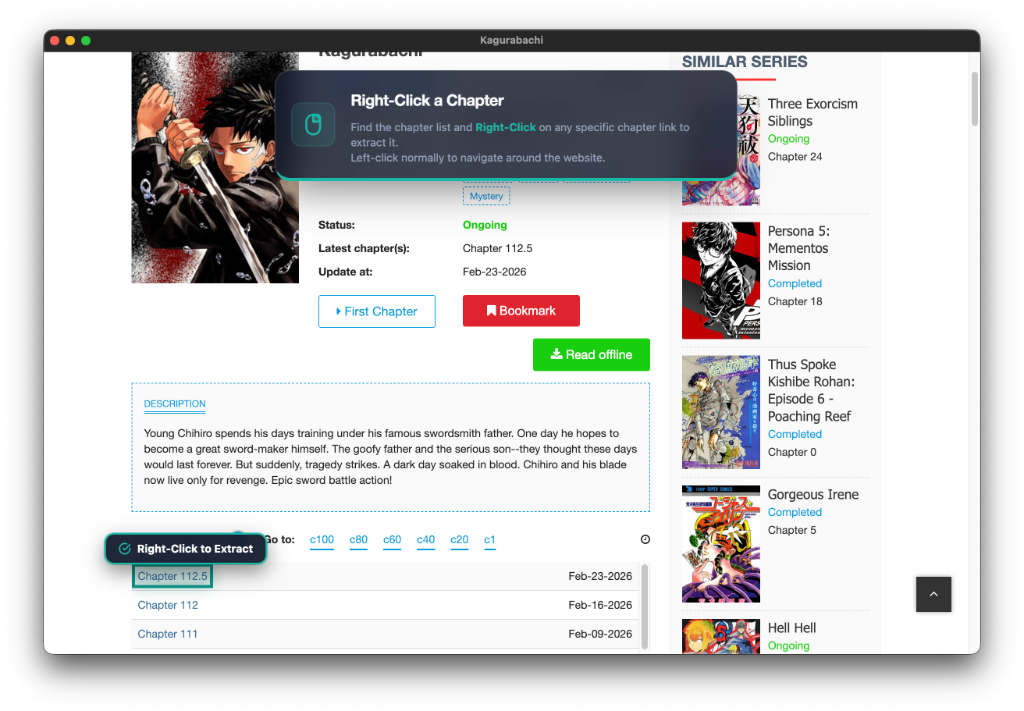
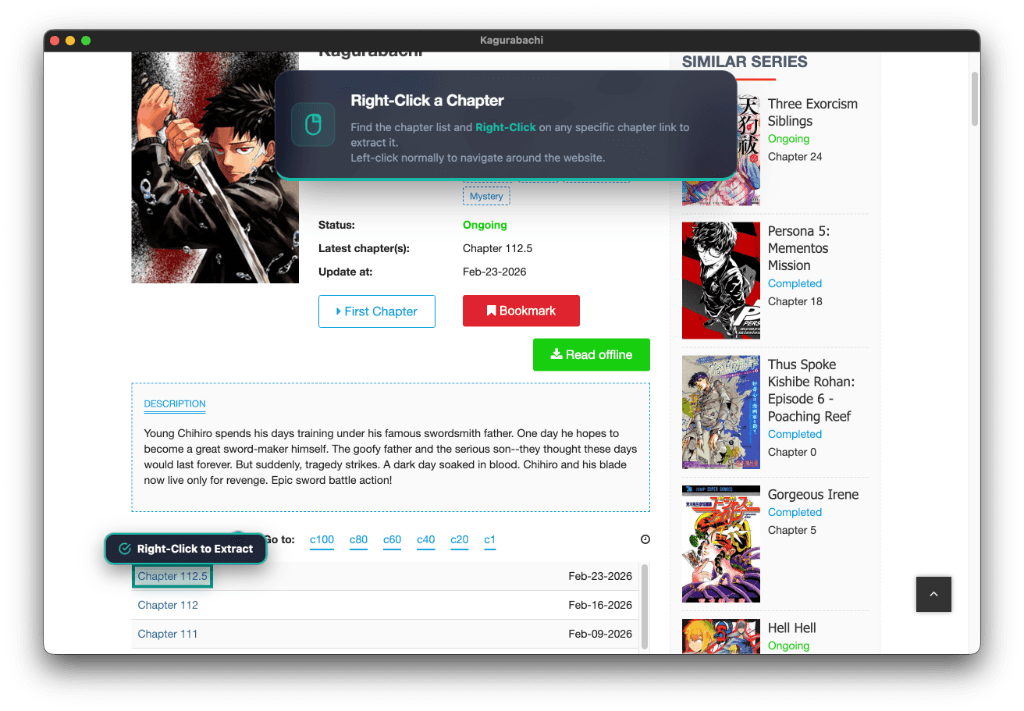
MangaSendr connects directly to your favorite Digital Sources to bridge the gap between web content and your e-reader.
- Direct Fetch: Paste a supported URL and instantly add the series. MangaSendr downloads and converts it on the fly.
- Automated Tracking: MangaSendr will actively monitor your added web sources for new releases so you don't have to.
- Silent Delivery: New chapters are beamed to your e-reader seamlessly in the background as soon as they are found.
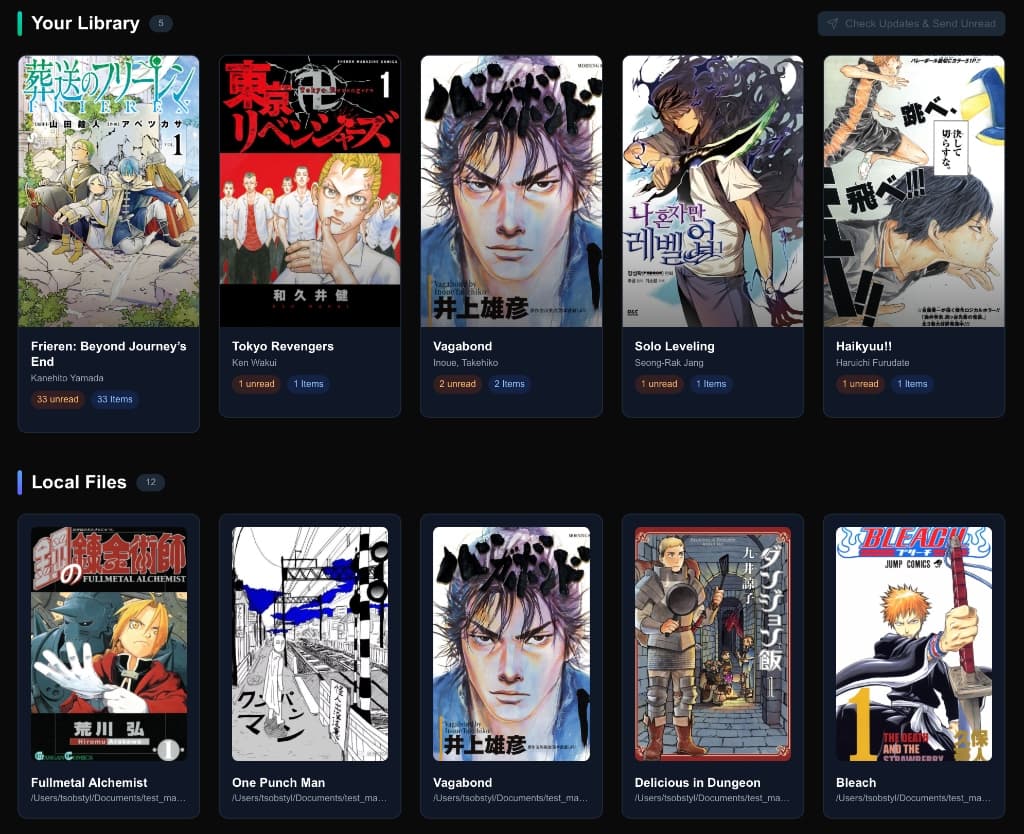
Your Library, Reimagined.
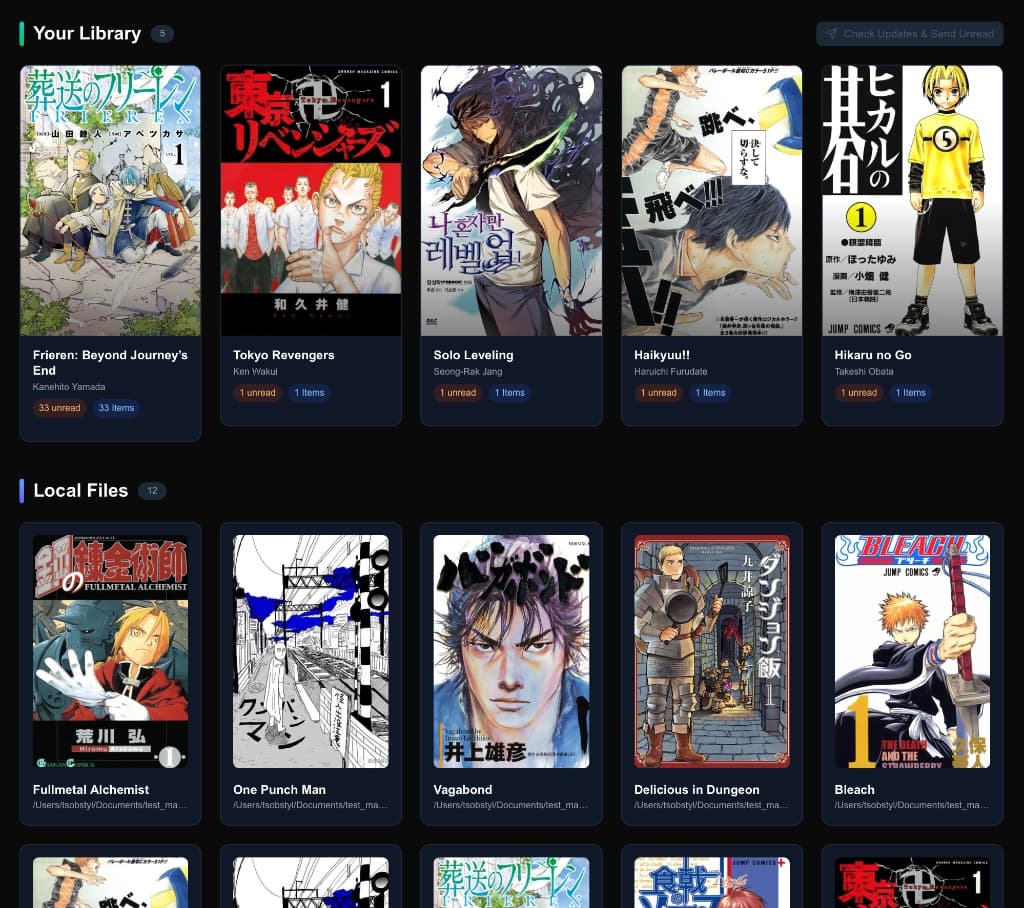
MangaSendr transforms your local folders into a living, breathing collection. With live unread counters, instant search, and smart status filters, you'll never lose track of your reading list again.
- Visual Grid: Beautiful covers, fetched automatically or customized by you.
- Smart Filtering: instantly toggle between "Unread", "Finished", or search by author.
- Bulk Actions: Select multiple volumes to mark as read, edit metadata, or package for sending.
Pixel-Perfect Optimization.
We don't just move files. We remaster them. Every page is analyzed and tuned for the specific E-Ink display of your Kindle.
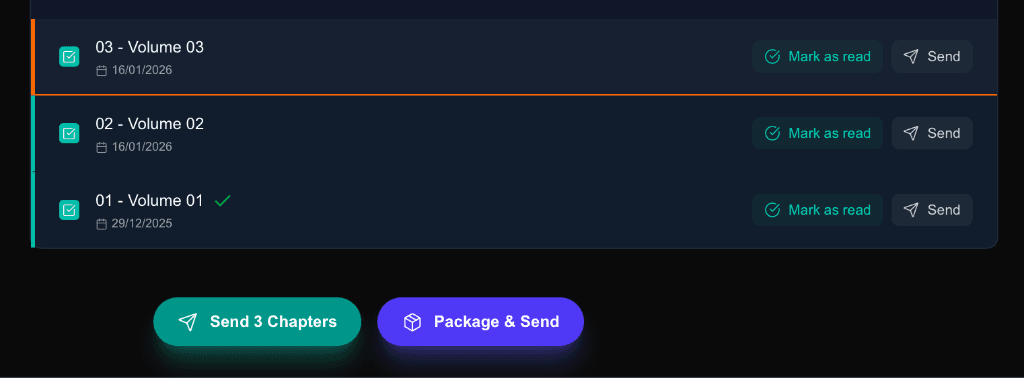
Engineered for Delivery.
We handle the heavy lifting. Select fifty chapters and click "Send"—we handle the rest. Our Smart Split engine ensures files never exceed file size limits, while our E-Ink Optimizer ensures crisp images on your Paperwhite or Oasis.
Auto-Pilot Delivery.
Skip the manual sending. Define a Watched Folder, and as soon as you drop a new chapter or volume in, MangaSendr detects it, converts it, and sends it to your device instantly.
- Zero-Touch: Background processing handles everything while you do other things.
- Instant Sync: Your device stays up to date with your local downloads automatically.
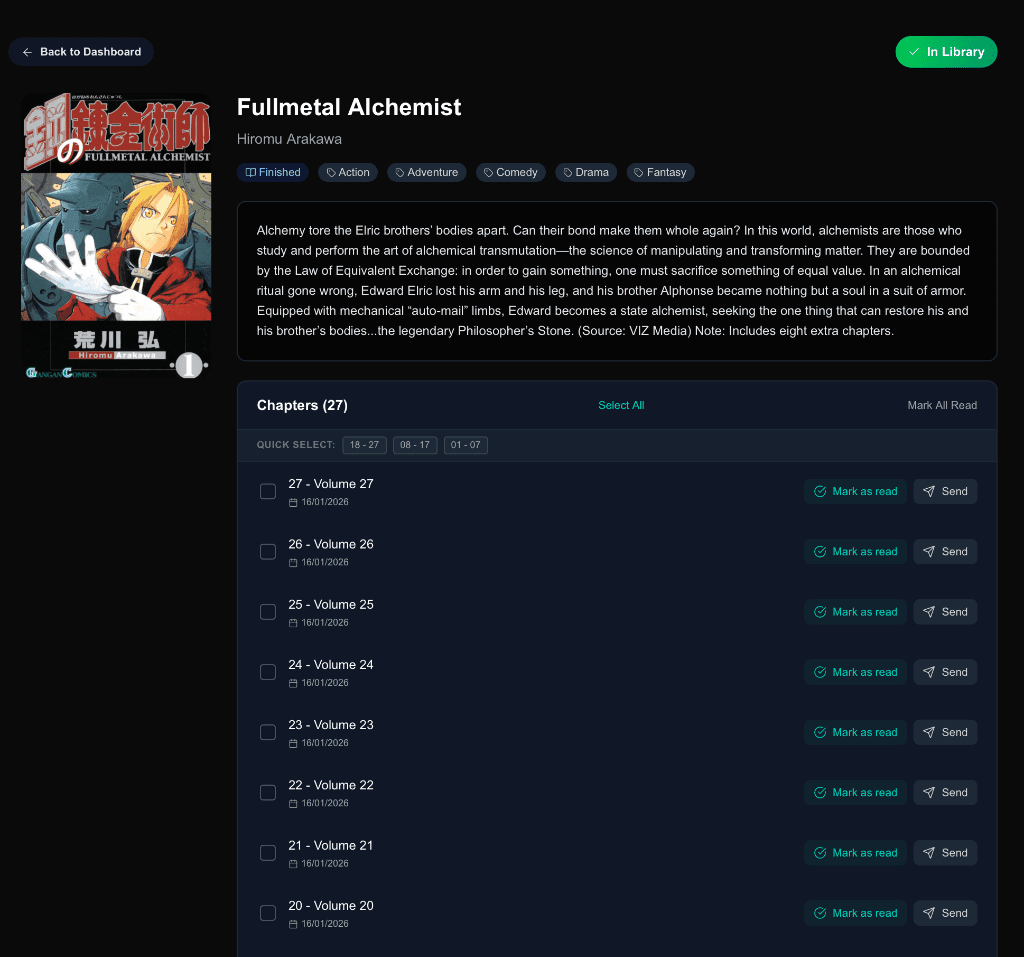
Metadata Perfection.
Your library deserves to look professional. MangaSendr integrates directly with AniList to fetch high-resolution covers, official synopsis, and metadata tags automatically.
- Auto-Match: We detect series names from ugly folder titles and link them to official data.
- Rich Details: Authors, genres, and release status (Ongoing/Completed) at a glance.
- Manual Control: Wrong match? Edit titles, swap covers, or fix numbering in seconds.

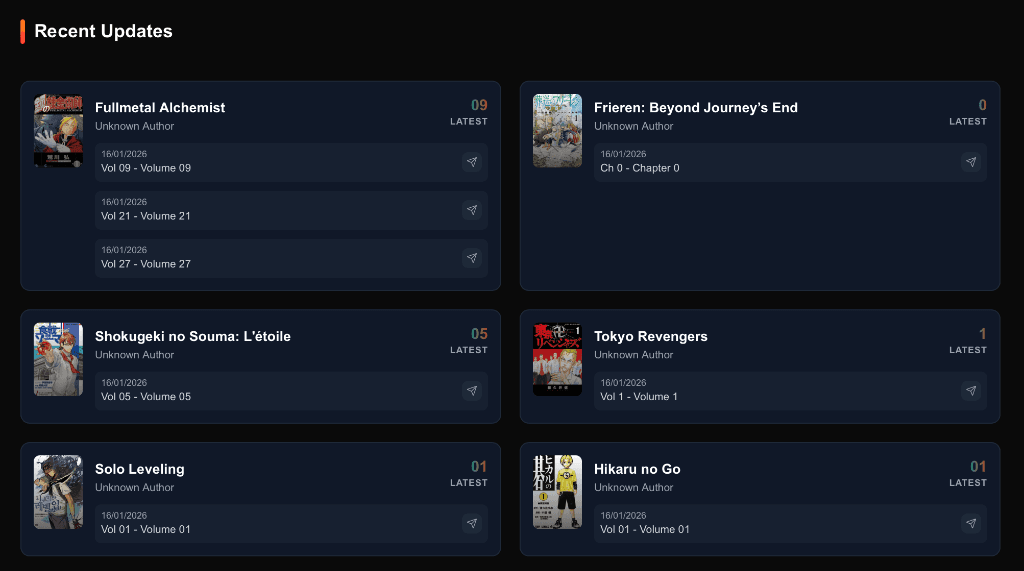
Track Your Progress.
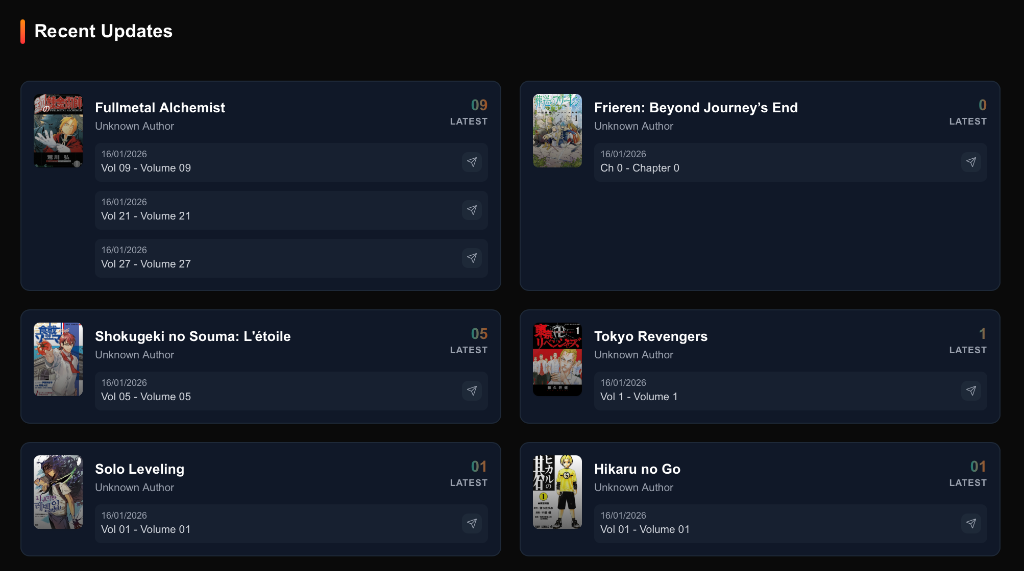
Never forget where you left off. Our Delivery History keeps a permanent log of every chapter sent to every device. We know the difference between "Available" and "Sent".
- Smart Diffing: New chapter released locally? We only select the ones you haven't sent yet.
- Delivery Confirmation: Visual indicators show exactly which files have been handed off to your device.
Cloud Comfort or USB Power.
Why choose? With MangaSendr, you get the best of both worlds. Use Cloud Delivery for wireless convenience, or switch to USB Mode for raw power and control.
Wireless Cloud
Perfect for daily reads. Send individual chapters wirelessly to any supported device. No cables needed.
Direct USB Transfer (New)
The ultimate choice for bulk archivists.
- Supports older Kindles (pre-2024) & Kobo
- No 50MB file limit (send full volumes!)
- Maintain maximum image quality (no compression)
The Superior E-Ink Experience.
Why thousands choose MangaSendr over standard methods.
Tablet Reading
- ✕ Blue light eye strain
- ✕ Battery lasts hours
- ✕ Distracting notifications
Manual Folder Sync
- ✕ Slow USB cables
- ✕ Generic "file" icons
- ✕ Wasted white margins
MangaSendr
- One-click wireless sync
- Beautiful library covers
- Pixel-matched resolution
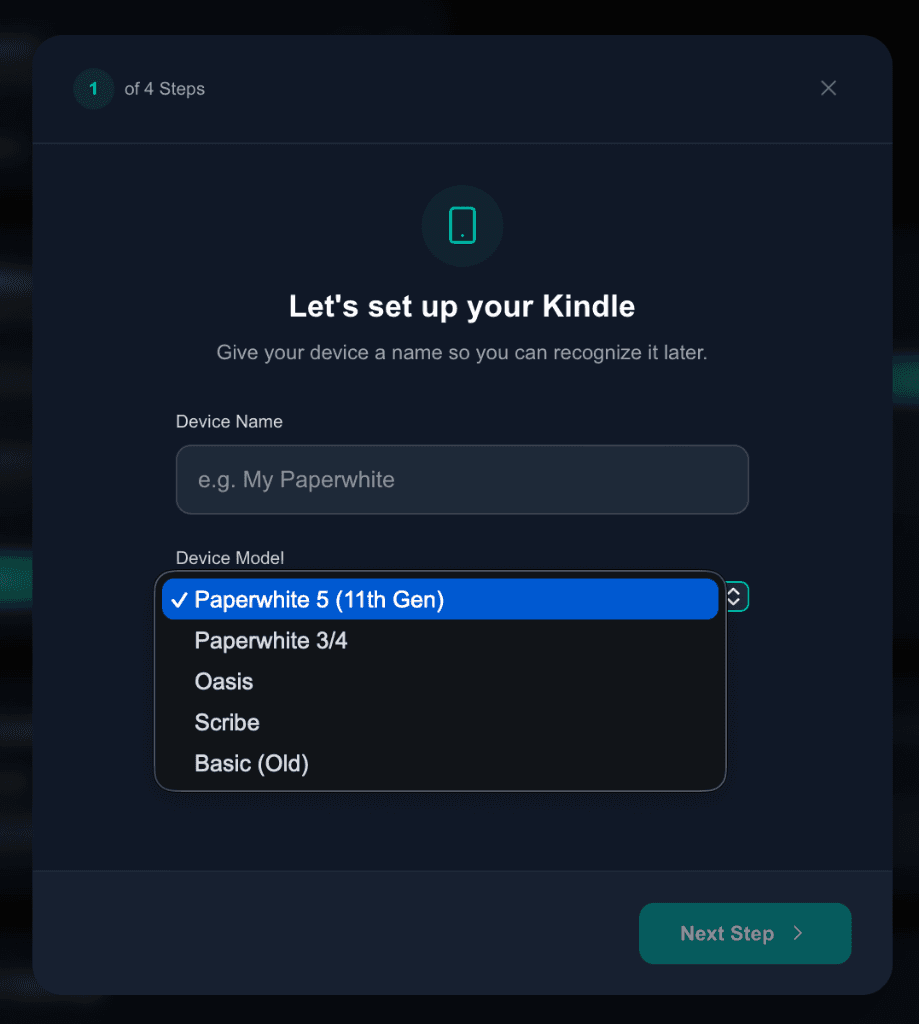
Dead Simple Setup.
Configuration shouldn't be a chore. Select your Device, pick a folder, and you're ready. We support Paperwhite, Oasis, and Scribe out of the box.
- Device Profiles: Margins and resolution are tuned perfectly for your specific screen size.
- Watched Folders: Drop a file in your manga folder; it appears in the app instantly.
- Format Agnostic: CBZ, ZIP, EPUB, PDF? We handle the conversion automatically.
How It Works
From folder to E-Reader in three simple steps. No complex configuration required.
Download & Select
Get the app and point it to your existing manga folder. We instantly recognize your collection.
Curate & Edit
Review metadata, select the chapters you want to read, and fix any unmatched series in seconds.
Send to Device
Click one button. We send to Cloud or USB automatically. Ready to read.
Frequently Asked Questions
Is MangaSendr providing manga titles and files?
No. MangaSendr is a management tool for your existing local library. We do not host or distribute content. You must legally own the files (CBZ, ZIP, EPUB, PDF) that you wish to transfer.
Which devices are supported?
Cloud Mode: Fully supports Kindle Paperwhite (3+), Oasis, Scribe, and Colorsoft.
USB Mode: Supports virtually all e-readers that handle EPUB/PDF, including old Kindles (pre-2024) and Kobo devices.
Is it free?
MangaSendr is a premium application available via flexible Monthly, Yearly, and Lifetime plans. All plans grant full access to every feature from day one.
Cloud vs. USB Delivery?
Cloud is easiest—files are sent via email wirelessly. Great for daily updates.
USB (New) is best for bulk transfers. It bypasses the 50MB file size limit, avoids splitting chapters, and works perfectly with Kobo or older Kindles that lack cloud support.
Do I need to convert my files manually?
No. Just point the app to your folder. We automatically process standard formats like .cbz, .zip, .rar, .epub, and .pdf into device-native formats with perfect cropping and margins.
Why are some chapters split?
Email providers limit attachment sizes (usually 25-50MB). Our engine automatically splits large volumes (e.g. "Vol 1 Part 1") to guarantee delivery, preserving the cover image on every part so your library looks great.
Get the latest updates from MangaSendr
Stay in the loop with new features and releases.