How to sync sideloaded manga reading progress across devices
Whether WhisperSync works for sideloaded manga: the difference between USB transfers and Send-to-Kindle, and what it means for your reading progress across devices.
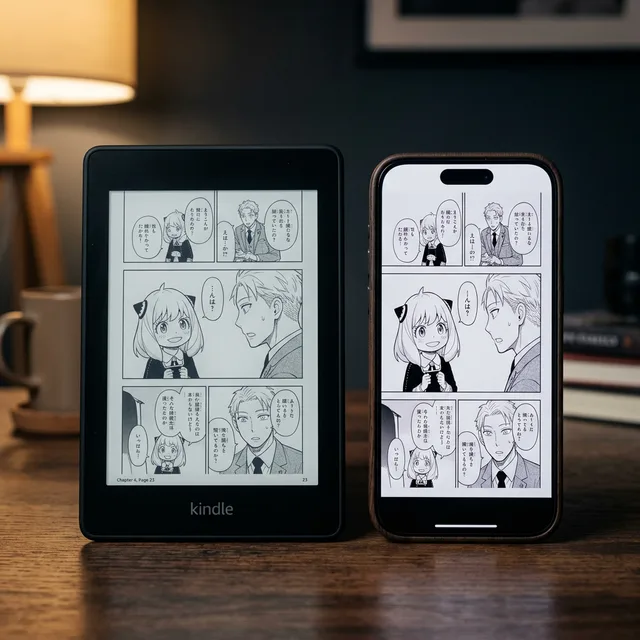
A major benefit of the Amazon Kindle ecosystem is WhisperSync. It lets you start reading a book on your Kindle Paperwhite and pick up exactly where you left off in the Kindle app on your phone.
For manga files you sideload yourself, it depends on how the file got onto the Kindle.
The problem with USB transfers
Many readers prefer copying files over a USB cable. It's much faster for 500MB omnibus editions, and it skips Amazon's cloud compression.
However, progress syncing does not work for USB-transferred files.
When you drag an AZW3 file into your Kindle's /documents folder, Amazon treats it as a local file. Amazon's cloud has no record of the book in your account, so it can't sync your bookmarks or last-read page to your phone or iPad.
Send to Kindle (Personal Documents)
To enable cross-device syncing for sideloaded manga, you must use Amazon's Send to Kindle service.
When you email a file to your unique @kindle.com address, or use Amazon's web uploader, the file is added to your account's "Personal Documents" library in the cloud.
Because the cloud is acting as the middleman, Amazon assigns the file a unique identifier and begins tracking your reading progress via WhisperSync, just like a purchased book.
Pros of Send to Kindle:
- WhisperSync: Read on your Kindle, resume on your iPhone.
- Cloud Backup: If you lose your device, your library and progress are safe.
Cons of Send to Kindle:
- The 50MB Limit: Amazon's email service rejects attachments larger than 50MB, and most manga volumes are bigger.
- The Missing Cover Bug: Amazon's sync service often wipes the cover art of "Personal Documents" and shows a generic icon instead.
Where MangaSendr fits
MangaSendr delivers through Send to Kindle, so its files land in your Personal Documents like anything else you email to your Kindle. It deals with the file size limit and makes sure every part has a cover. It does not sync reading progress itself, and it doesn't keep track of what you've read. Any syncing comes from Amazon.
- Automatic Splitting: Upload a 200MB volume (or put it in a watched folder in the desktop app), and MangaSendr splits it by size into parts small enough for email, then emails them to your Kindle. The split is by size rather than at chapter breaks, and the parts are named like
(1 of 3). - A Cover on Every Part: Each file, and each split part, gets its own cover, taken from the first page of your file.
Each delivery arrives with a cover and a clear name. Whether your page carries over to the Kindle app on your phone depends on Amazon's syncing for personal documents, which MangaSendr doesn't control. Also keep in mind that a split volume arrives as separate documents, so each part keeps its own reading position.
Your first delivery is free. Pricing covers what's included after that.
Try it with one of your own volumes
Send a CBZ, EPUB or PDF you have. MangaSendr sizes it for your Kindle model and sends it for you.
You don't need a card, and there's nothing to install.